Feature
Dress up your radio
Eight player skins and eight themes, with two new machines and two new themes since we last wrote. AXO-1 and Cipher-3 are built like hardware now, TTY draws in characters, Phosphor and Riso add texture, and every skin runs smooth on an iPad.
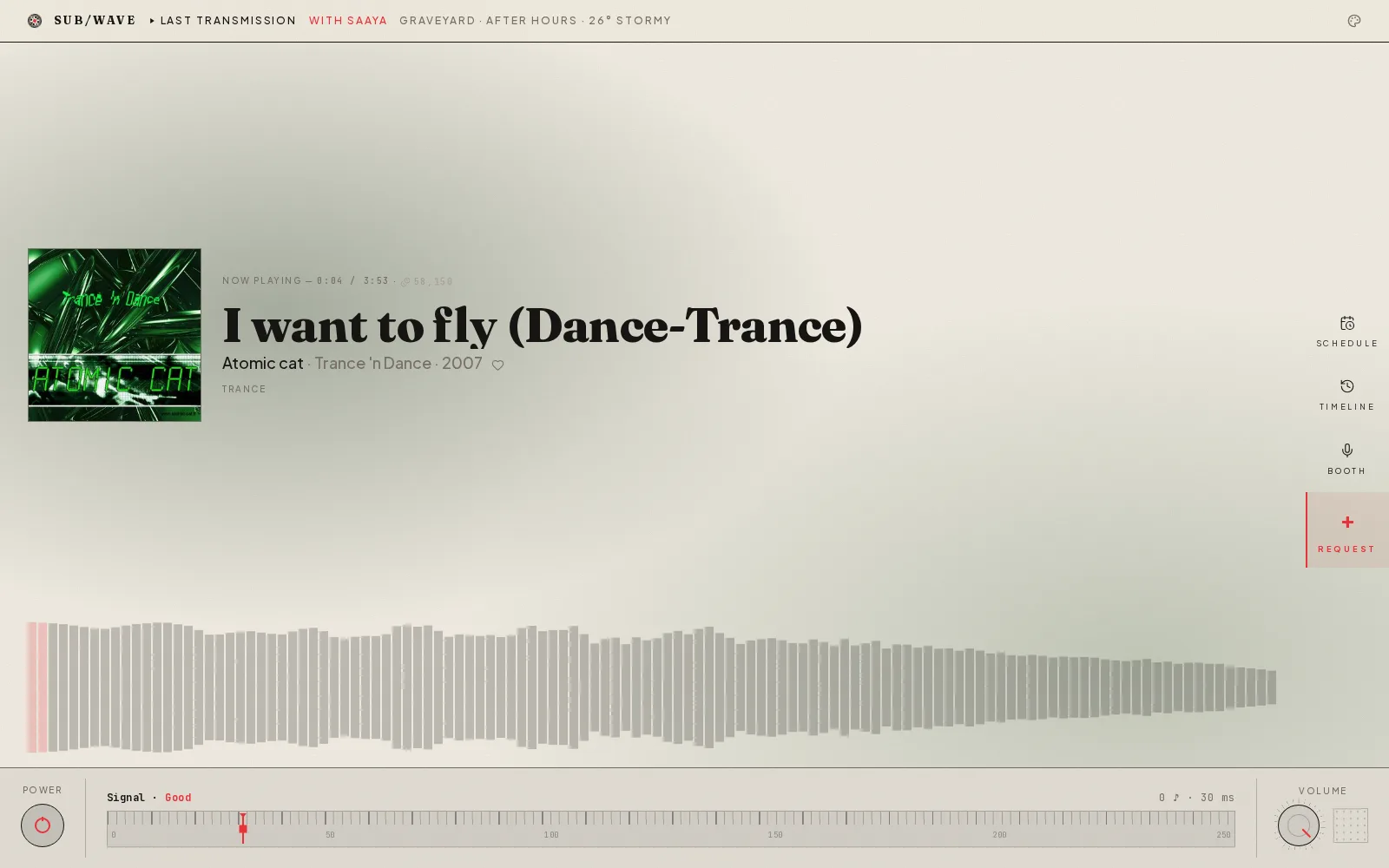
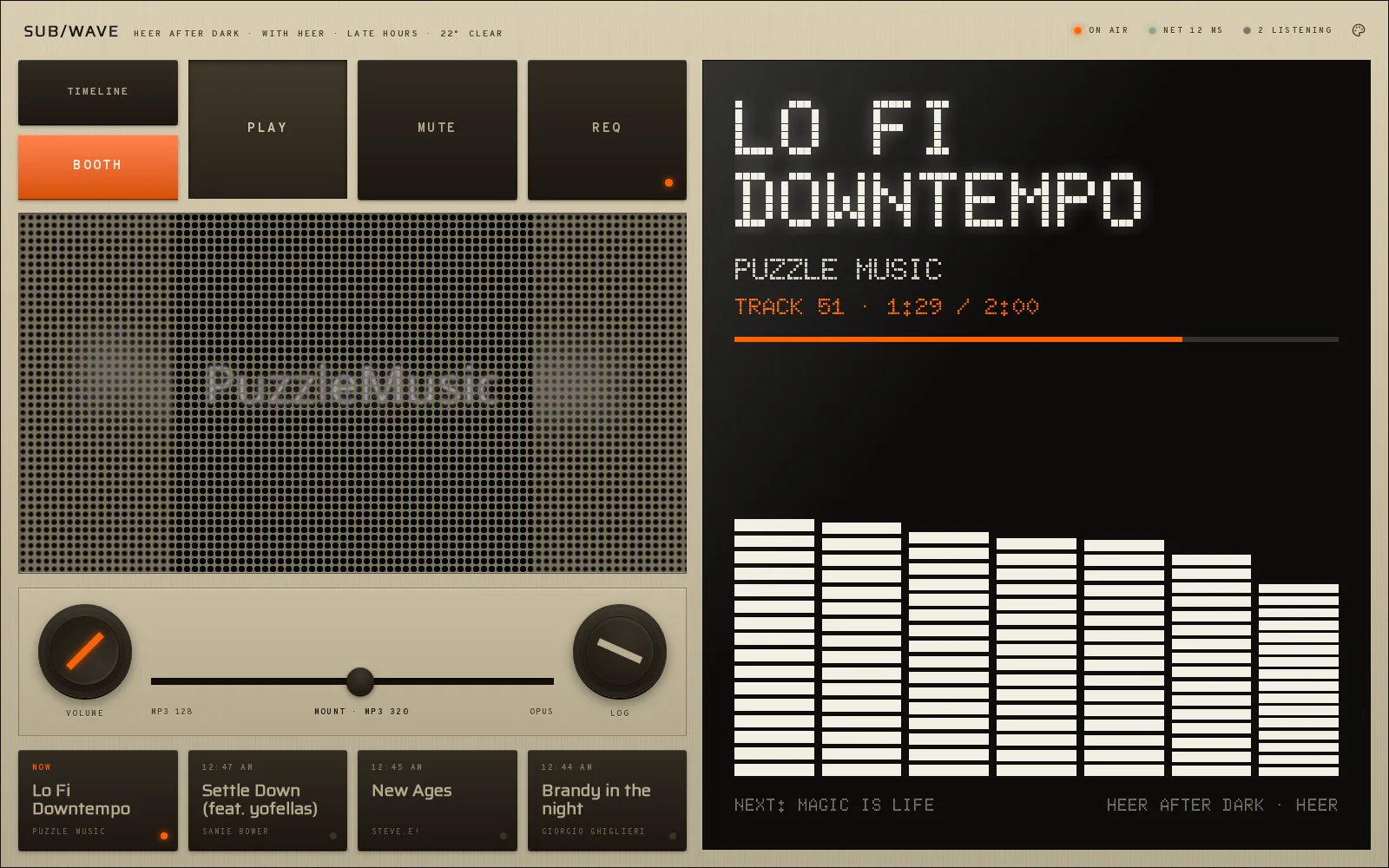
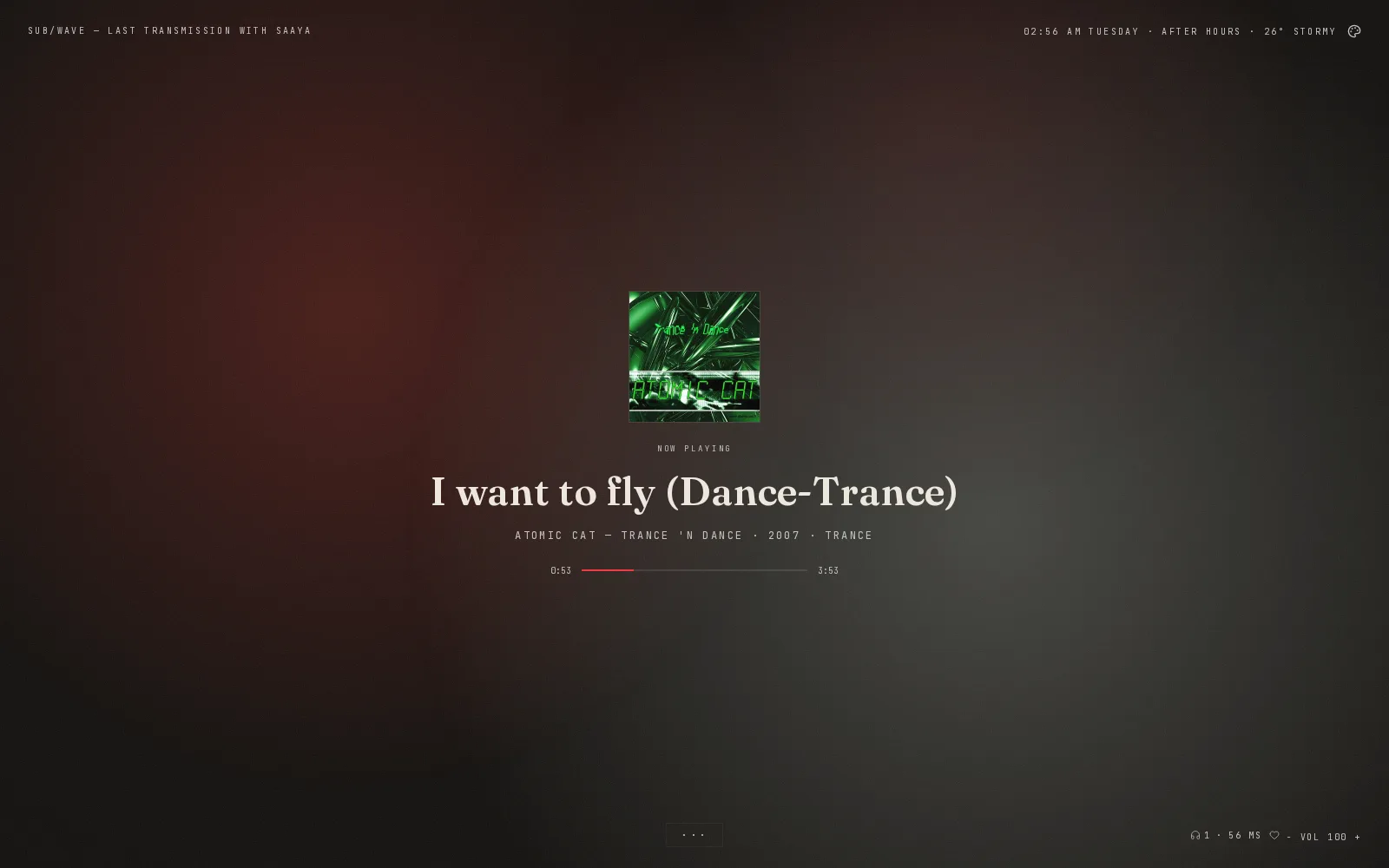
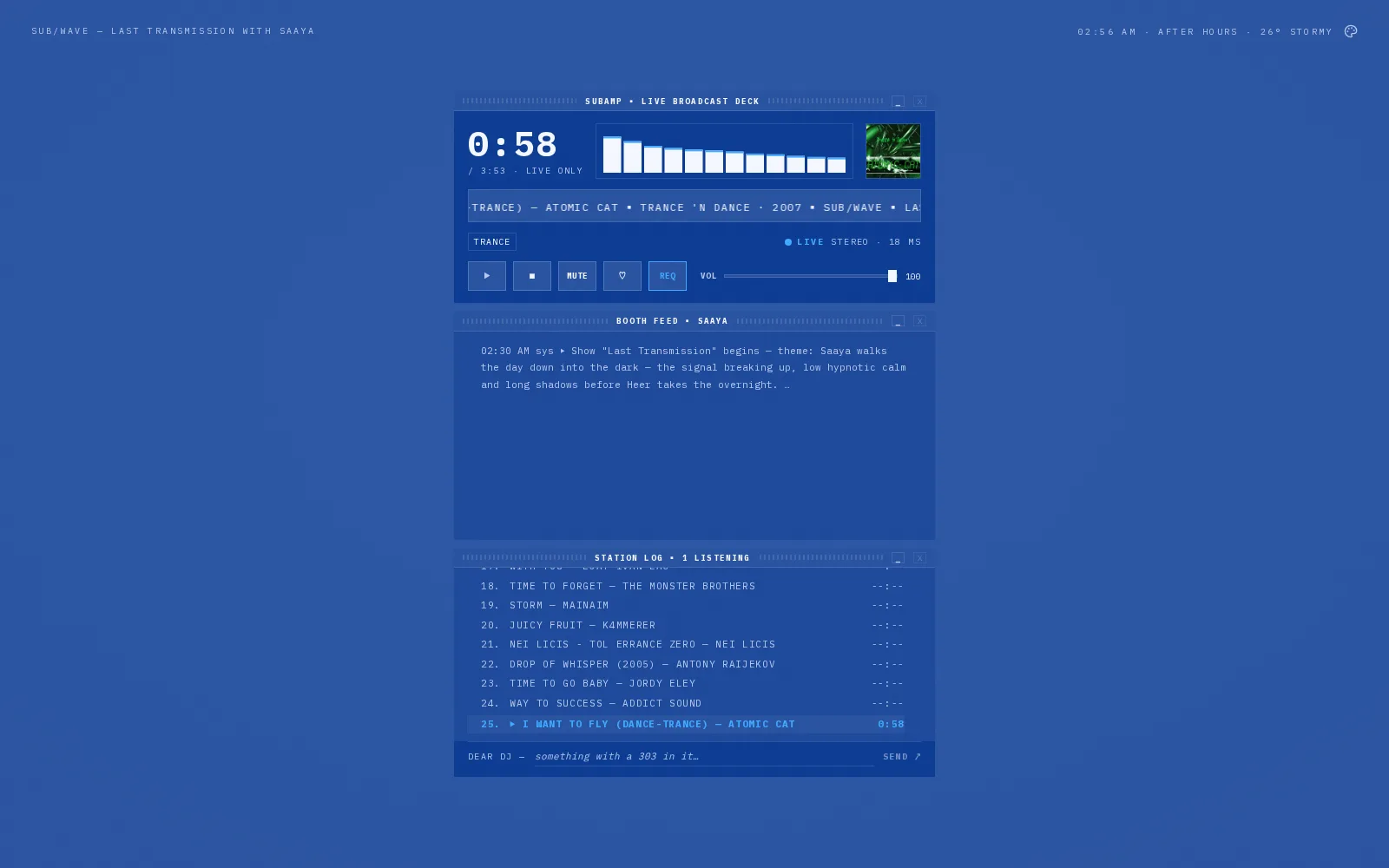
The last time we wrote about the player, it had six faces. It has eight now, and the stream underneath is still the one every listener hears. This release rebuilds the two newest skins as hardware, teaches TTY to draw, adds two themes with real texture, and redesigns the menu you pick them from. Here are all eight, one theme each.
Two new machines
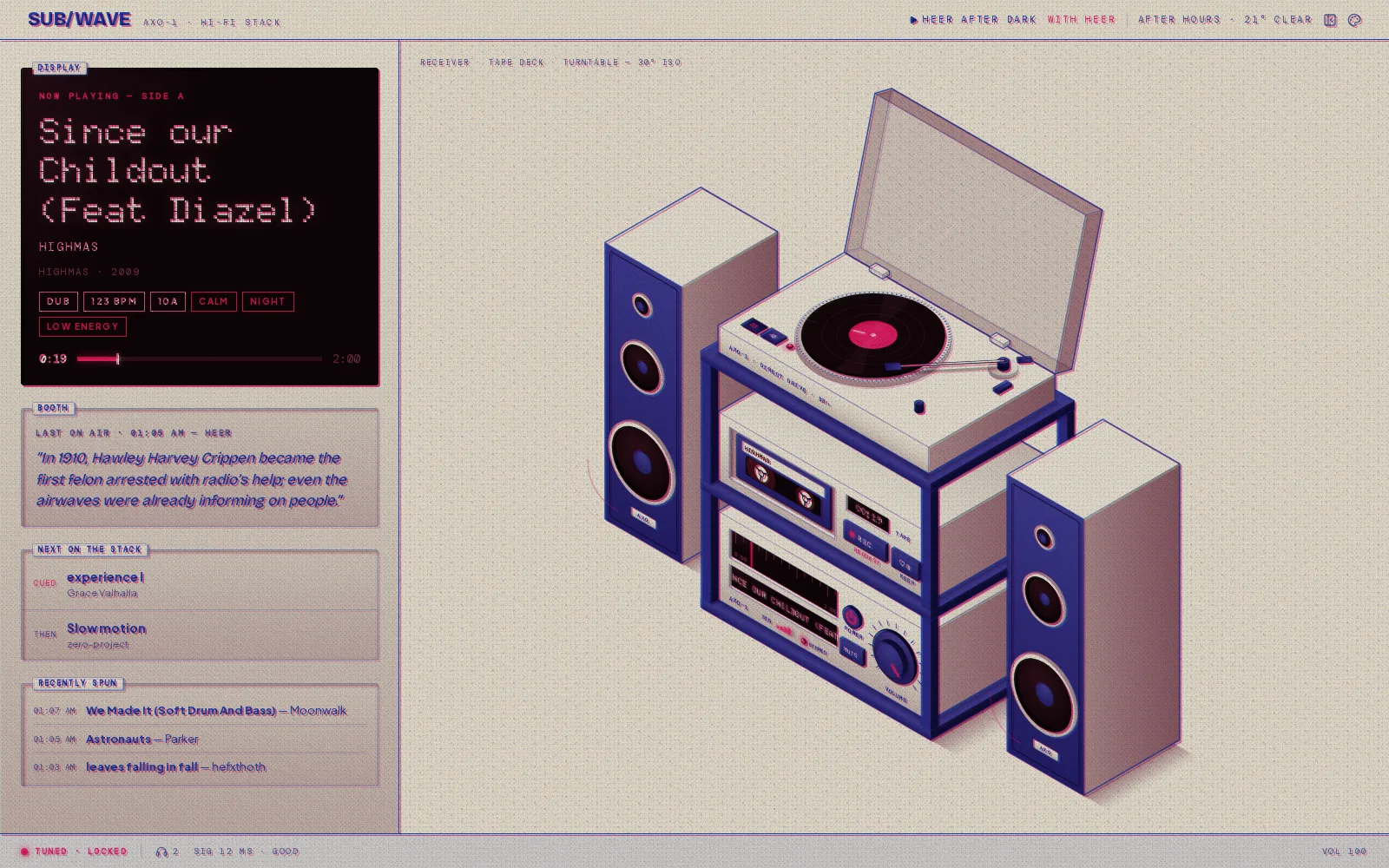
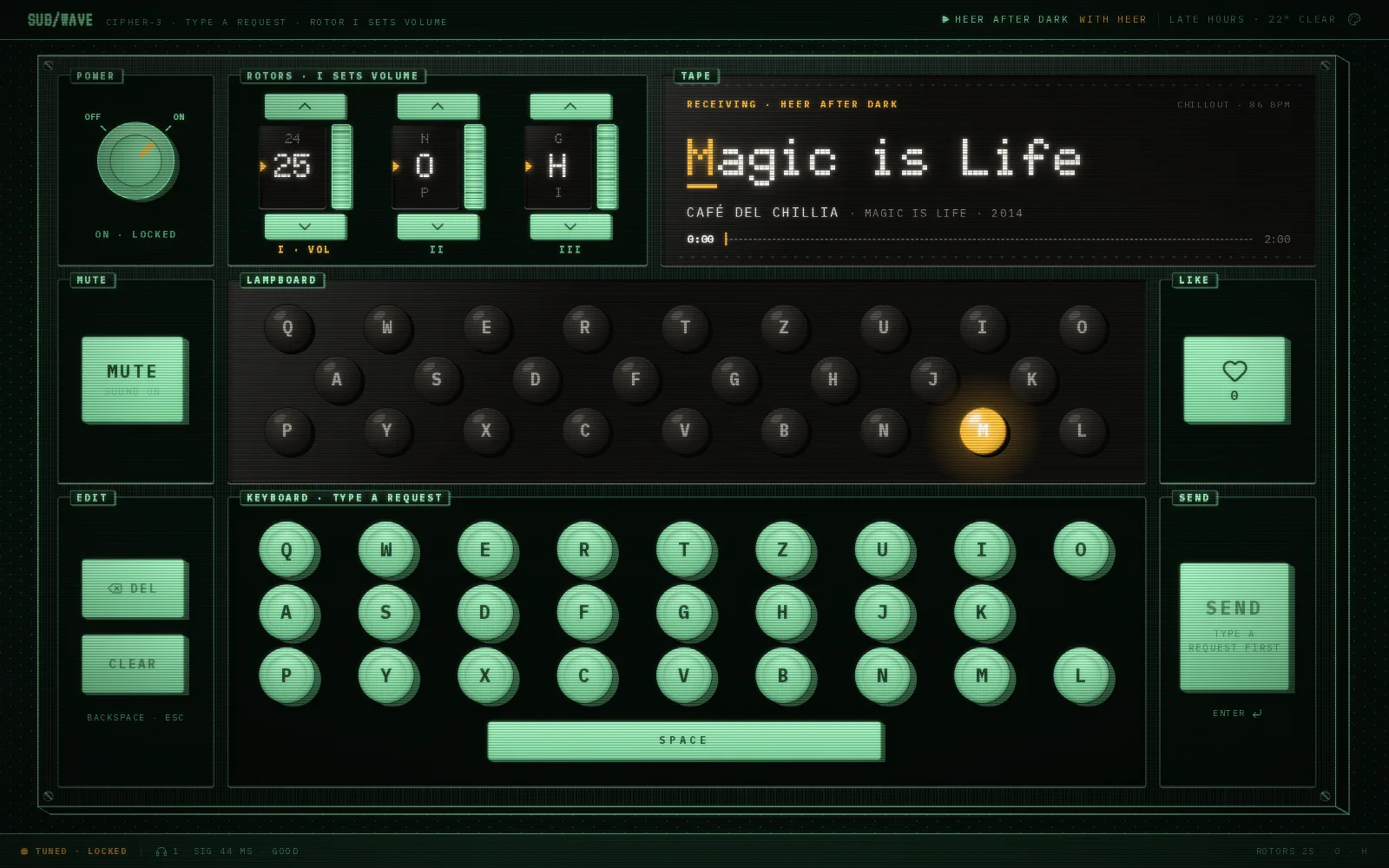
AXO-1 and Cipher-3 arrived on October 8. This release rebuilds them in the same hardware as Unit SW-9: brushed metal lit from above, dark keys that travel when you press them, weighted knobs, and black display glass in a dot-matrix face.
AXO-1 is a hi-fi stack drawn at 30 degrees, a turntable, tape deck and receiver between two speakers. The switch, the volume knob and the keys in the drawing are the real controls. The record turns, the tape counter runs, and the lamps glow when they are lit.
Cipher-3 is a rotor cipher machine. The power switch is a weighted knob, rotor I sets the volume, and the lampboard spells the song one letter per beat, or the DJ's words while they talk. To send a request, type it on the machine's keys or your own keyboard. Each letter steps the rotors and lights its enciphered bulb, and SEND hands the plain text to the booth.
TTY draws in characters
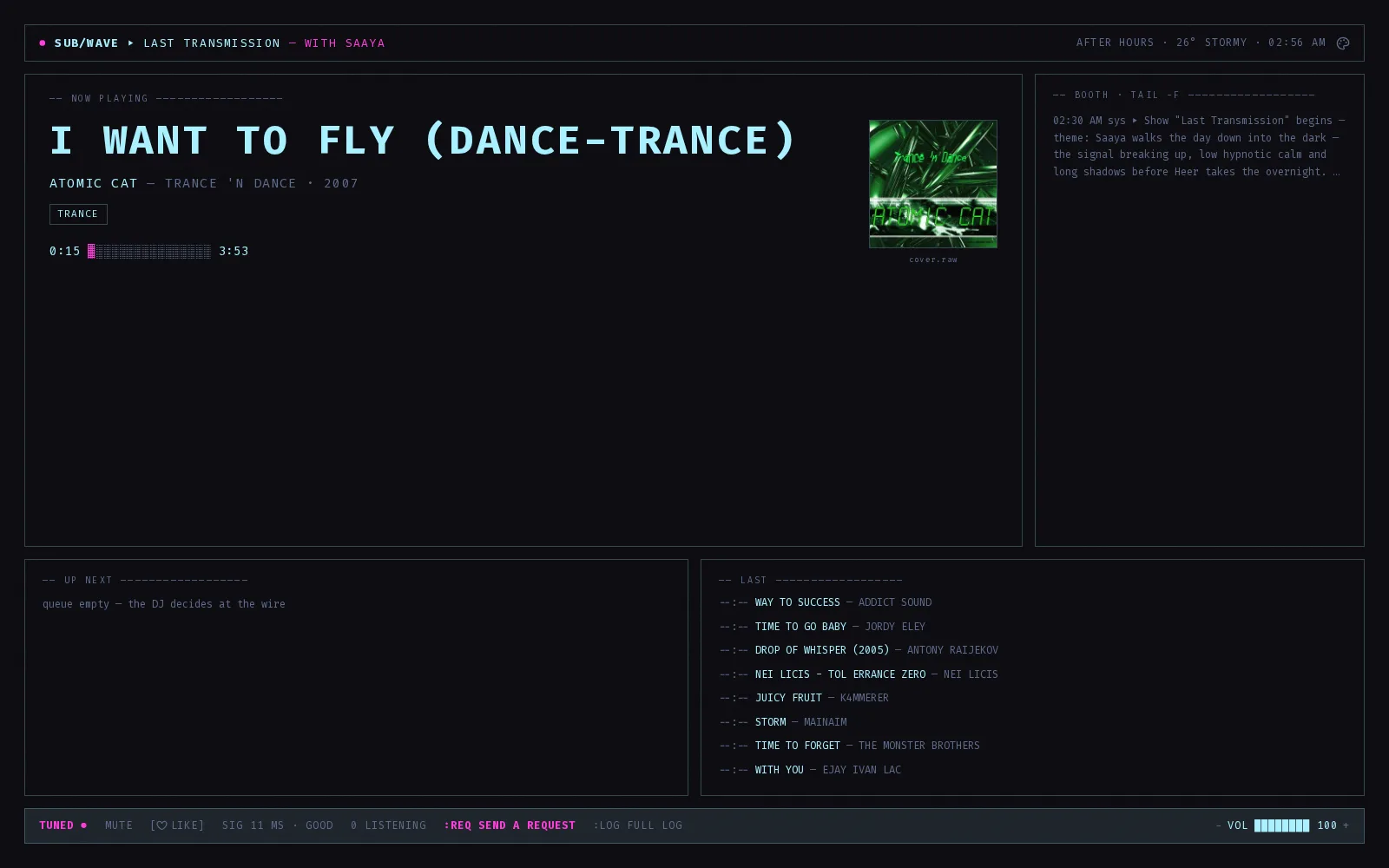
Every picture on TTY is now drawn as characters on one grid, in the theme's own colours. On a dark theme it looks like a phosphor screen, and on a light one like a teleprinter print. The panes gain a scope with four instruments (press V to cycle them), and the cover art is printed as ASCII.
Focus mode hands the window to one of four scenes: a campfire under the Milky Way, a cabin under the aurora, balloons over a valley at sunrise, and a basalt causeway running into the sea. Each one plays along. The flames ride the bass, the aurora traces the spectrum, the burners fire on the beat, and the causeway's columns are the analyser's bands. The scene follows the station's time of day and draws the real weather over it, so a snowy night lands in the cabin. Press [ and ] to pin one yourself.
Focus modes
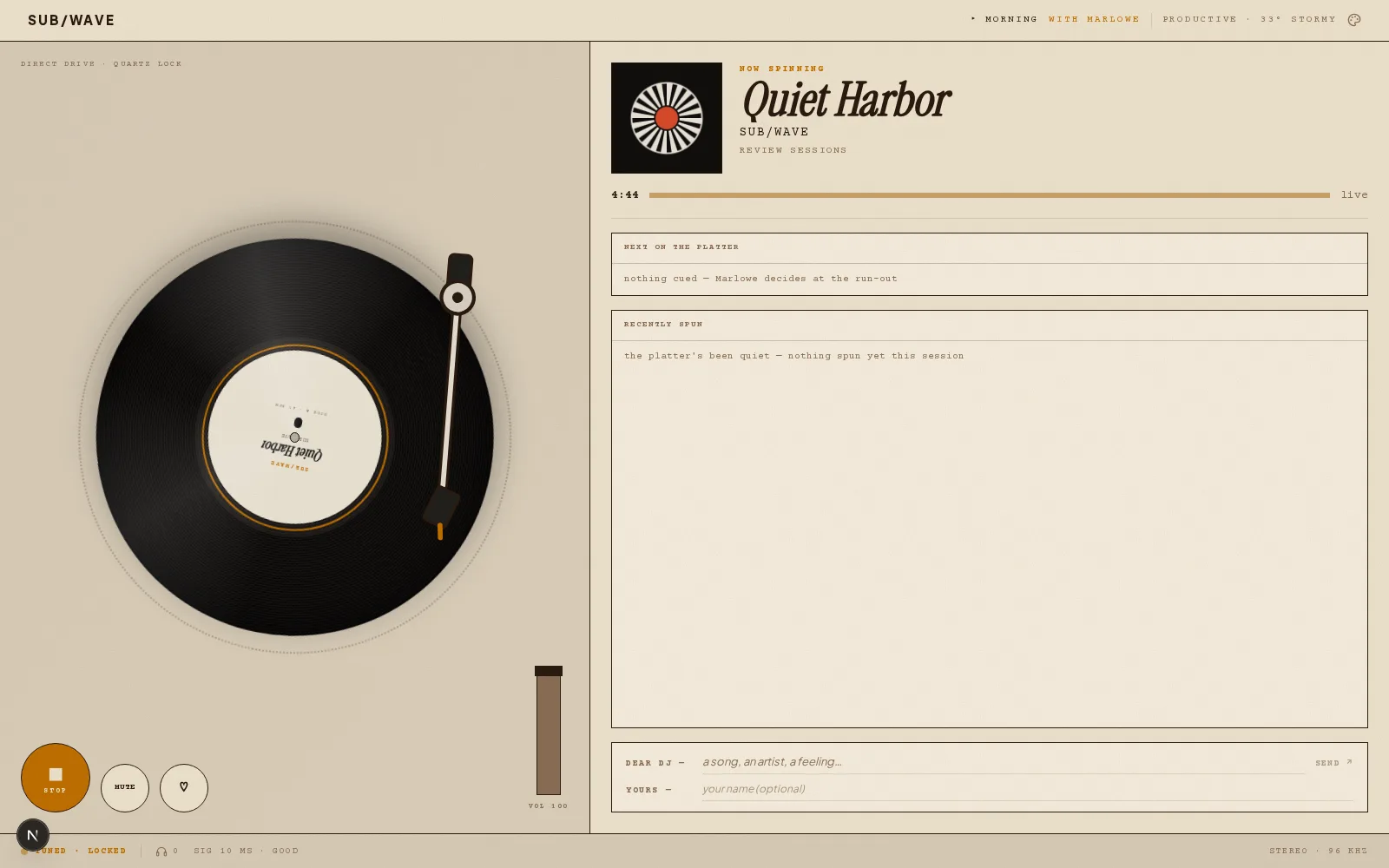
AXO-1 and Platter get a focus mode too. On AXO-1 the facts column folds away, and the open dust cover becomes a lit glass screen carrying the now-playing card. On Platter the deck lifts into 30-degree isometric. The cover sits on a sleeve propped behind the turntable, the next record waits in a crate with a NEXT sticker, and the tonearm tracks inward round a ring of ticks that marks the track's progress.
Press F to go in and Esc to come out. TTY also has a toggle on its status line, and AXO-1 has one in its header. Platter's focus mode is desktop only. Each skin remembers your choice in that browser.
Eight themes, two of them new
Phosphor and Riso replace Signal and Flare. They are the first themes that do more than recolour the player. Each one lays a texture over the stage and runs a finish over everything the skin draws.
- Phosphor is a lab oscilloscope at night. Green phosphor ink on black glass, amber for anything live, scanlines, and a glow on every bright stroke.
- Riso is a two-drum duplicator print. Blue and fluorescent pink on uncoated stock, a halftone screen, and the pink drum printing a couple of pixels off.
They join Classic Light, Classic Dark, Vinyl, Cyberpunk, Blueprint and Recon. Any theme works on any skin, so the pairings here are only a starting point.
How to use it
Listeners pick their own look. Tap the Appearance icon (the palette near the top of the header). Themes sit in one row of tiles, each showing "Aa" in that theme's own paper, ink and typeface, with its accent as a stripe. Tap one and the player repaints behind the menu. The menu stays open, so the skin miniatures below recolour too, and you can try a few palettes before you close it.
Skins sit underneath as a grid of miniatures of their real layouts. Hover or focus a tile and the line under the section names it. Use station default and Use station skin, on each section's heading, put you back on whatever the operator runs. A third section, Performance, holds the Lite mode switch for slow screens.
Operators set the station-wide pick in admin, under Settings, then Skin & themes. Every open player picks it up within about thirty seconds, with no restart. A station or show that was set to Signal or Flare falls back to Classic Light, so pick its new look there.
Smoother on an iPad
iPad Safari used to stutter on every skin and flash blank when you switched skins. Chrome and Android never did. In desktop Safari, which runs the same engine, AXO-1 dropped to 13 frames a second. We went through all eight skins. A skin switch now keeps the old face on screen until the new one is ready, and the player no longer rewrites the station theme every 30 seconds when nothing changed.
The one trade is the finish. Safari and every iOS browser keep Phosphor's scanlines and Riso's halftone but skip the glow and the misregister, because WebKit runs that filter on the CPU over the whole player on every frame. We would rather the iPad stayed smooth.
Why it helps
You see a look before you commit to it. A listener can try every palette against the skin they actually use, in a few taps, without leaving the player. Put a rotor machine on the kitchen tablet and a hi-fi stack on the office monitor, and both play the same broadcast.