Feature
Sing along with the station
The Classic and Drift skins show the playing song's lyrics in time with the music, each word lighting up as it is sung. It's on out of the box, and LRCLIB fills in the songs your library has no timed lyrics for.
The player shows the words now. The Classic and Drift skins put the playing song's lyrics on the stage, in time with the music, each word lighting up as it is sung.
What's new
On Classic, a wide screen splits in two. The cover, title and artist stack in a column on the left, ruled off from the lyrics beside them. The song runs down the right as one column that glides so the line being sung holds the centre, larger than the rest. Lines already sung fade further than the ones still to come. During an intro or an instrumental break, the next line waits at the centre.
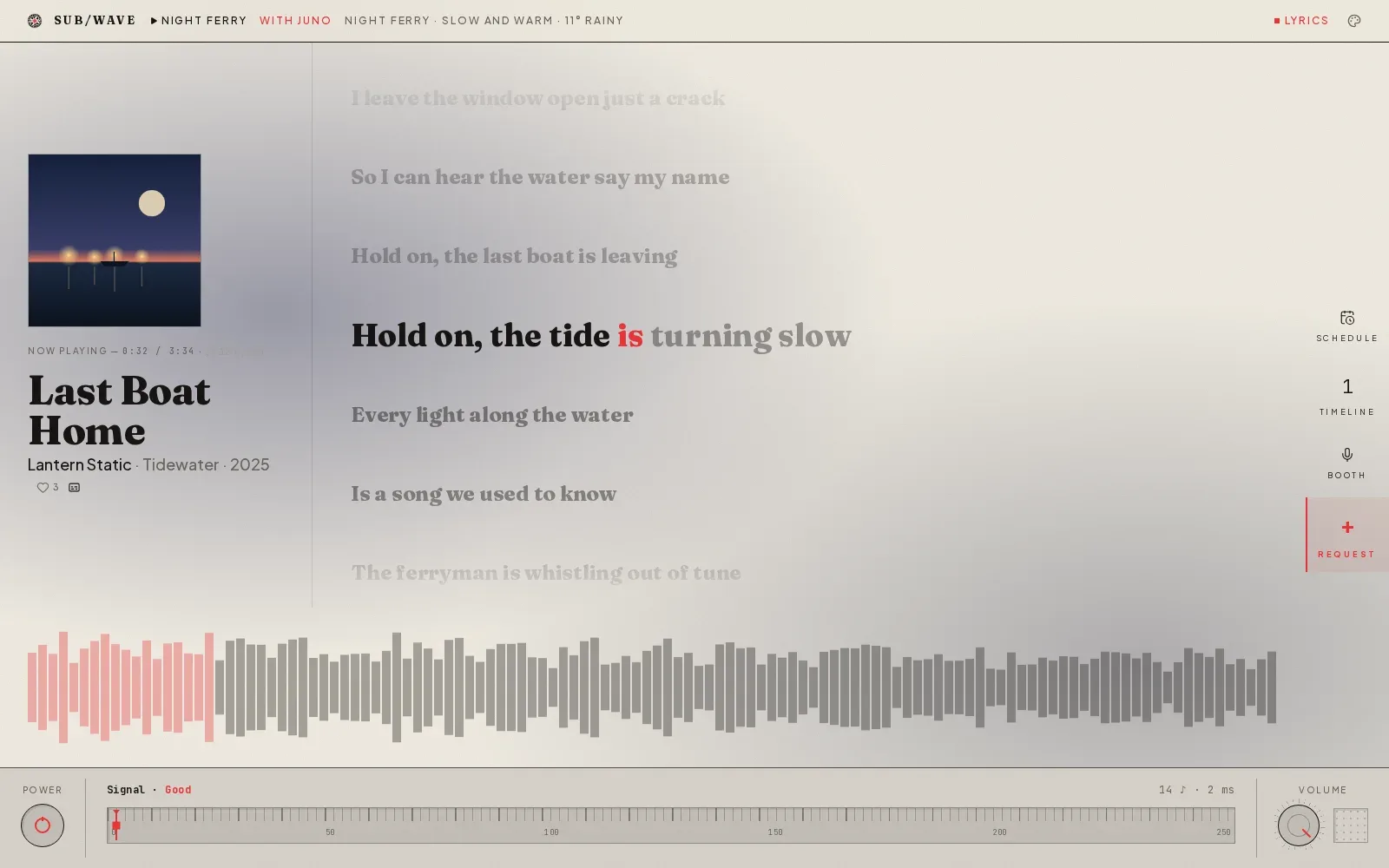
On a phone the cover, title and artist shrink to one row at the top, and the lyrics fill the screen below it, down to the waveform. A tablet or a narrow window gives them a band just above the waveform.
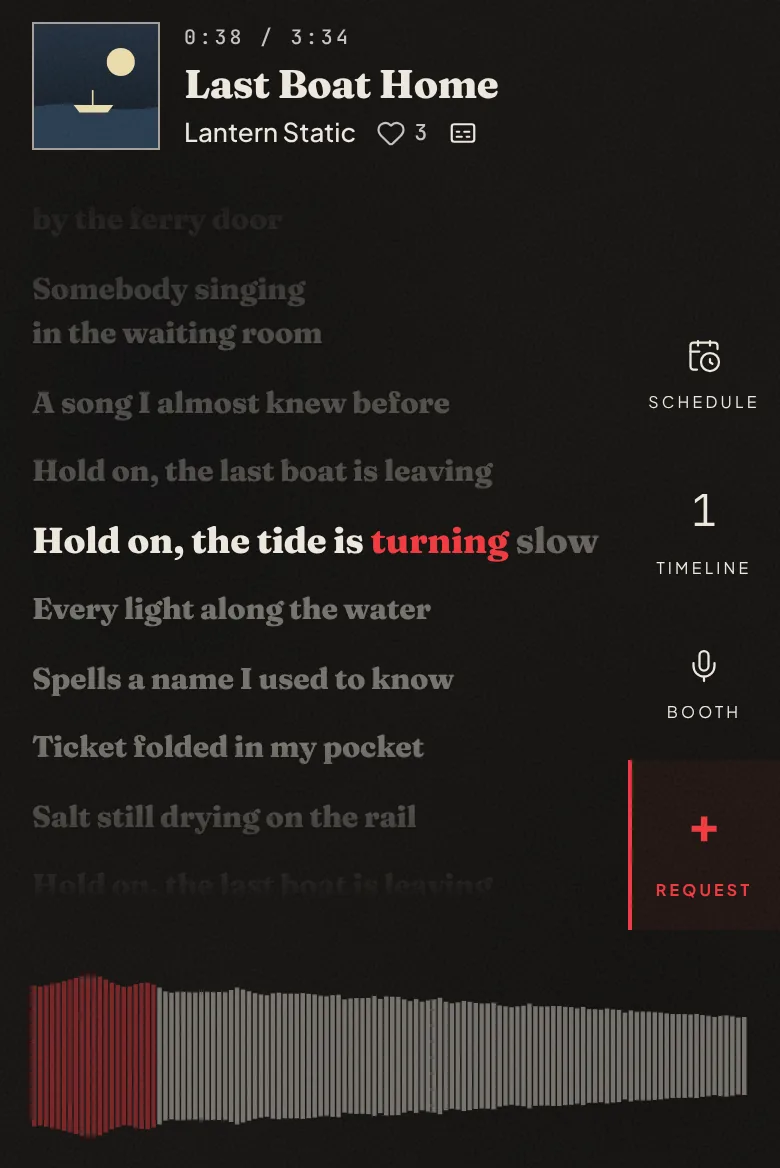
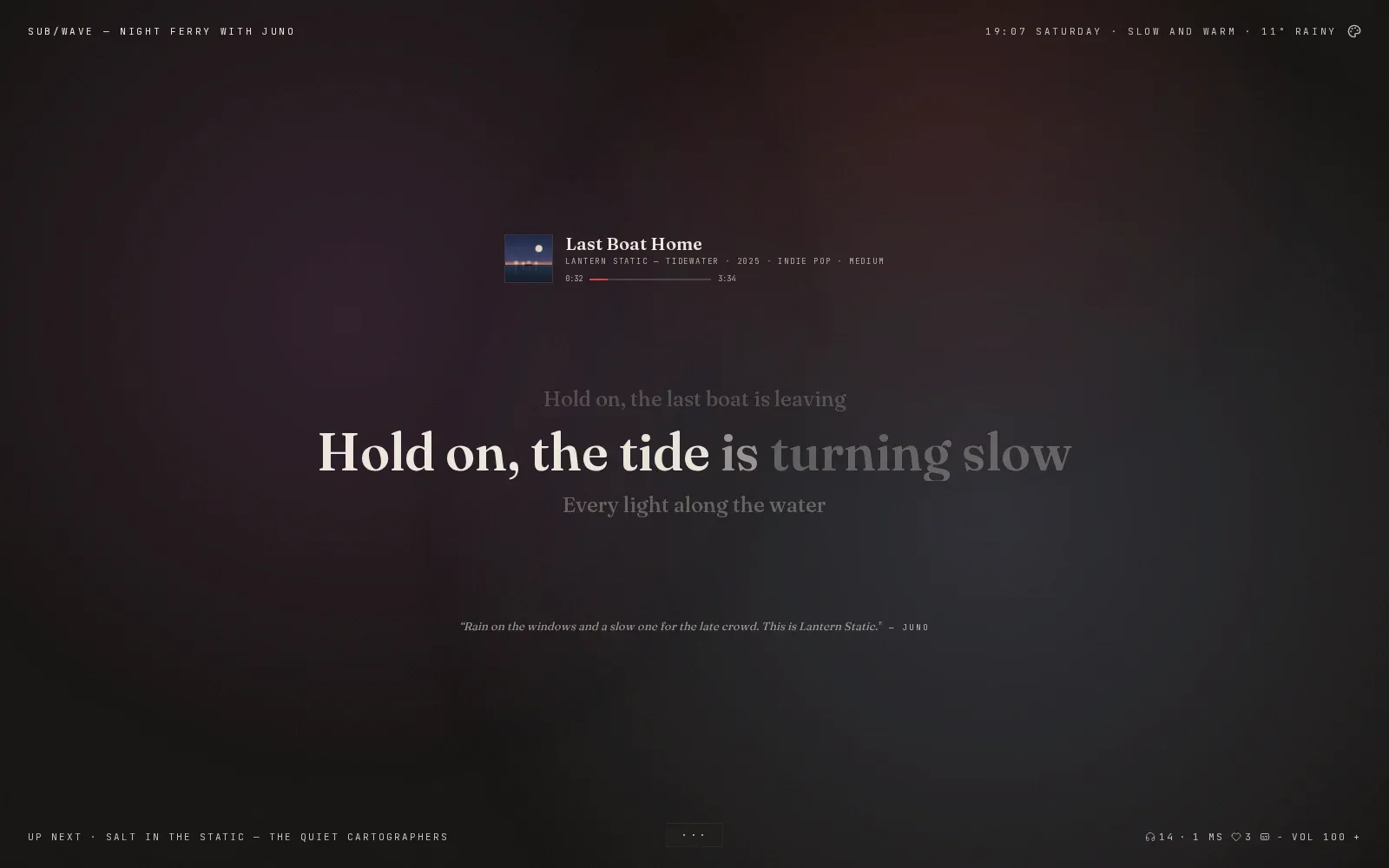
Drift makes them the middle of the page. The cover and title shrink to one small row, and three lines share the centre: the one just sung, faint above, the one being sung, large, and the next one waiting below. Lines fade in and out in place, at Drift's slower pace.
A song with only untimed lyrics still shows them, every line at once, for you to scroll through by hand.
How to use it
There is nothing to switch on. Lyrics are on out of the box, on a new install and after an upgrade. The panel republishes lyric text to anyone who can open your player, so if you'd rather it didn't, open Settings in admin, then Listeners, find the Lyrics panel card and set Enabled to Off. Save.
In one real library we sampled, Navidrome had synced lyrics for none of 200 tracks. LRCLIB, a community database of synced lyrics, had them for 24 of 40. The LRCLIB fallback in the same card is on too. When a song your music server has no timed lyrics for joins the queue, the station looks it up straight away, minutes before it airs, and asks again as it goes on air if LRCLIB was busy the first time. That sends the track's artist, title, album and length to lrclib.net. To keep track names on your own network, set LRCLIB fallback to Off, or run your own LRCLIB and point the controller at it in .env:
LRCLIB_URL=https://lrclib.example.lan
It only uses a lyric file within 2 seconds of the track's length, and your music server's own timed lyrics always win. Every answer is remembered, so each song is looked up once (a miss is checked again after a month). LRCLIB's lyrics only reach the screen. The DJ still times its talk over the vocals from your music server's lyrics alone.
Listeners get a lyrics button beside the heart on Classic, and in the bottom corner on Drift (inside the ··· panel on a phone). It opens a small panel with a switch to hide lyrics on that device, a line saying what this song has, and a timing nudge for a speaker or a Bluetooth headset that runs behind. Press L to show or hide them straight away.
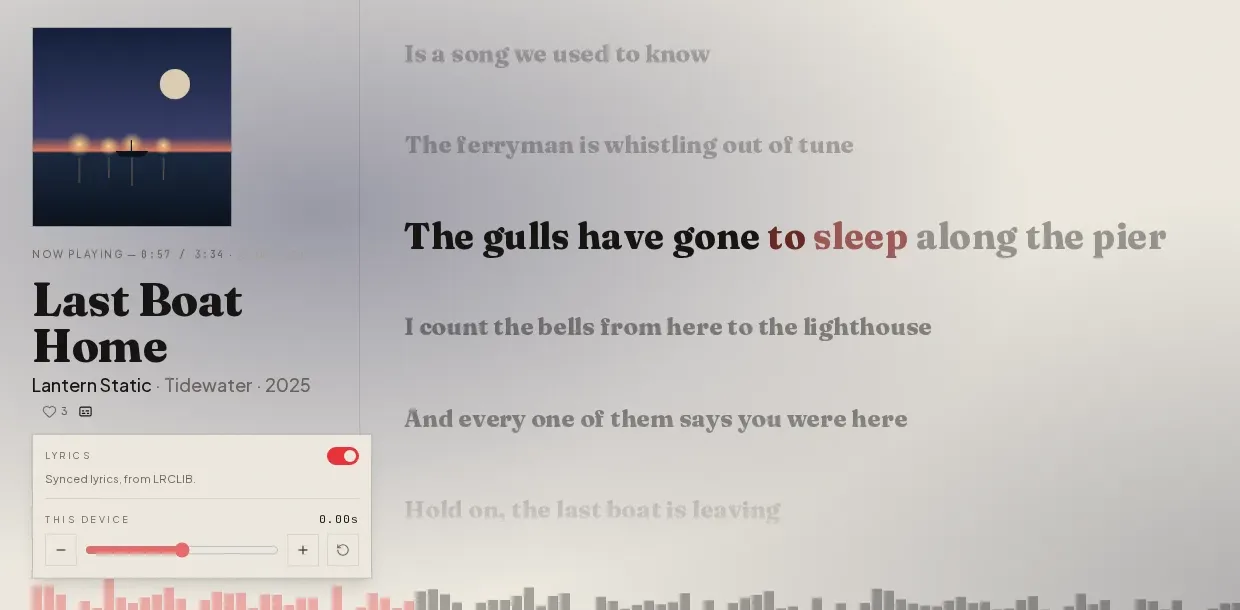
If a song's lyric file runs early or late for everyone, open the same panel in a browser that is signed in to admin. A second row, Station · this track, shifts that song's lines for every listener. Press Save and the fix stays with the track.
Why it helps
The song you could never quite make out has words now, on the same stream everyone else hears, in time with it. Leave Drift up on a kitchen tablet and you can follow along from across the room.